KC2: Creations & Collections
2016 – 2017
UX Design – Design System Documentation
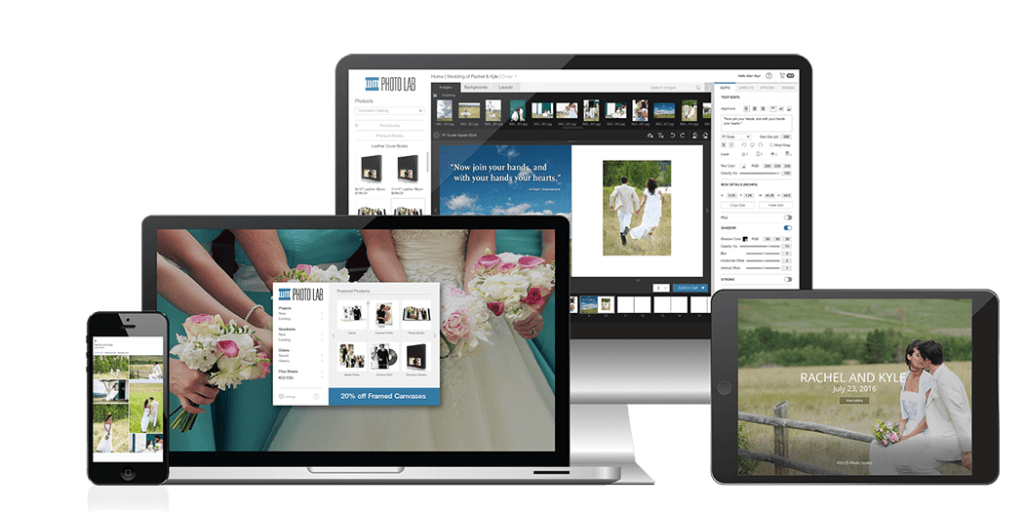
Kodak Keepsakes Collections & Creations (KC2) was a sales-to-fulfillment desktop application for professional photographers. It was targeted as a competitive option vs. the 2016 industry standard software, ROES. KC2 is no longer supported by Alaris, although various Labs continue to use and host a grandfathered version of the software, like Alkit Pro Lab.
Projects and Accomplishments
• Kodak Keepsakes Collections & Creations (KC2)
• Codified Terms, Documentation, Style Guides
• Wrote UX copy with consistent Product Voice
• Designed Interactive Feature Layouts
• Shopping Cart Validation / Error States
• Agile / JIRA / Confluence / Adobe Illustrator
Challenge: Stagnant Style Guide
When I joined KC2 in 2016, the project’s Style Guide had not been updated in months, and many new portions of the app had yet to be documented. I conducted a robust sampling of the existing UI/UX assets, as well as testing input responses. I discovered problems with basic components – like different pixel heights for various text entry fields and inconsistent response actions. I documented these issues in JIRA tickets and produced relevant annotated screenshots .
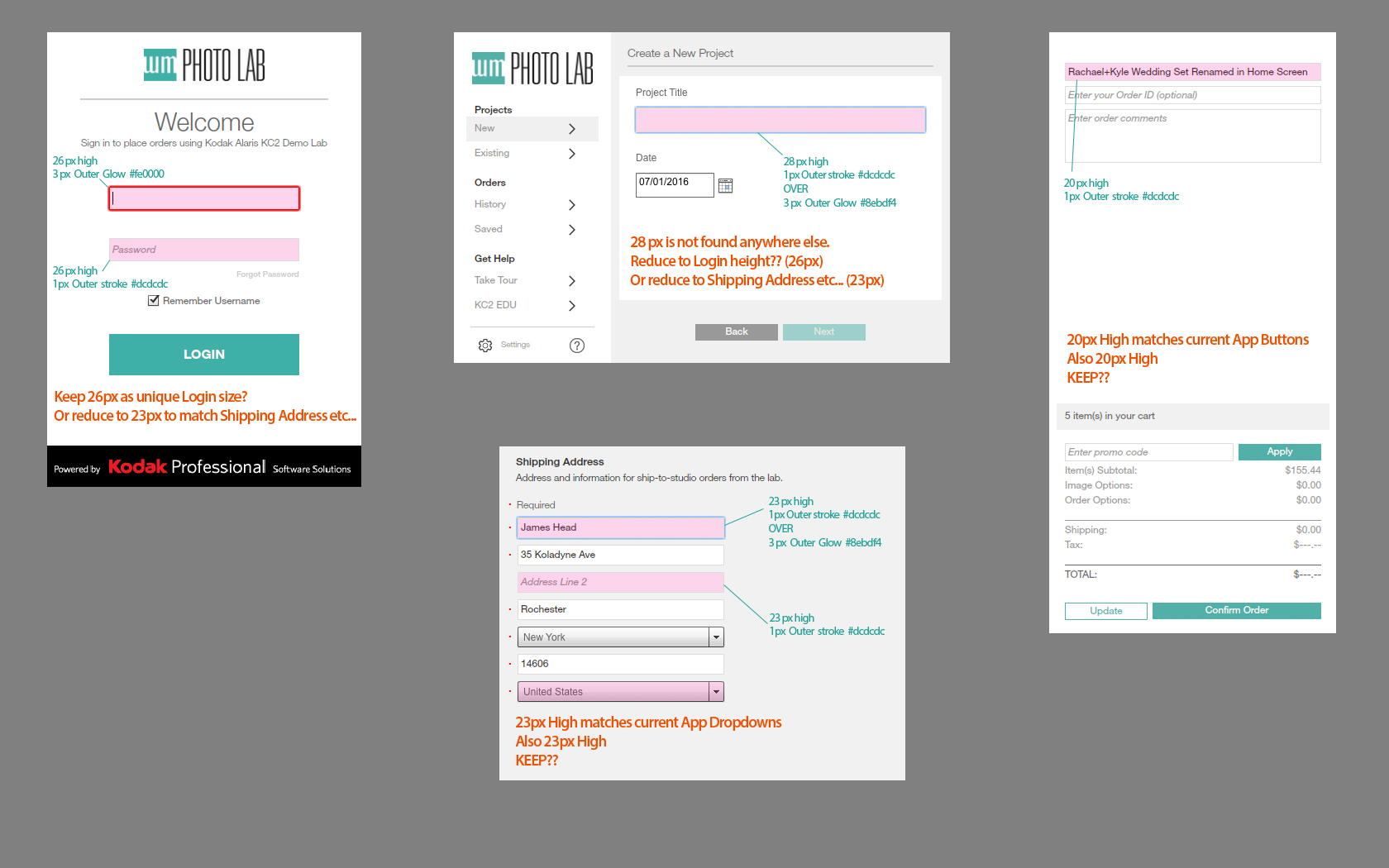
EPIC: Consistent Design and Implementation
After a robust review of KC2’s inconsistent styling and interface, I reported my findings to a small team of Stakeholders representing Product, UX, QA, and Development. Together we decided that there was enough housekeeping efforts to warrant building a high-level JIRA Epic to handle the effort. Beyond simply fixing all the identified gaps, KC2 needed a solution that would prevent such errors from piling up all over again. My responsibility was to produce a documentation system to solve this need.
Modular Style Guide
Previously, Style Guide entries were written for each screen of the App, resulting in immense Confluence pages that were troublesome to update. I transitioned the document to a modular system; with each page addressing one component. I also partnered with KC2’s JS Developers to ensure that the modular asset document was accurate from their end. Once an asset page had been reviewed and approved by UX and Devs, it was published for all departments to use. (Product, QA, Testing, etc…)
This was back in 2016. In a sense, I was establishing a ‘Proto Design System’ for KC2 (before such UX concepts were considered commonplace).

After finalizing individual component specifications I moved on to documenting larger interface behaviors as well (dialogs, menu bars, etc…). In this schematic example, the dialog content is (FPO) for placement only. The purpose of the relevant Confluence page was to define consistent padding and alignment rules, thus establishing a design standard that applied to all dialog layouts.
Fast-Paced Solutions
As KC2 was an existing product, I had to actively design new UX solutions while simultaneously building the modular documentation system. Future UX Design efforts would eventually benefit from this expanding Single Source Of Truth, but immediate Agile efforts demanded immediate UX input.
Transitional Wireframes
To speed up wireframing efforts, I would often take screenshots of existing KC2 UI and then notate recommended design changes. I found it helpful to apply a grayscale filter to the screenshot as a way of emphasizing the iterative nature of the image.
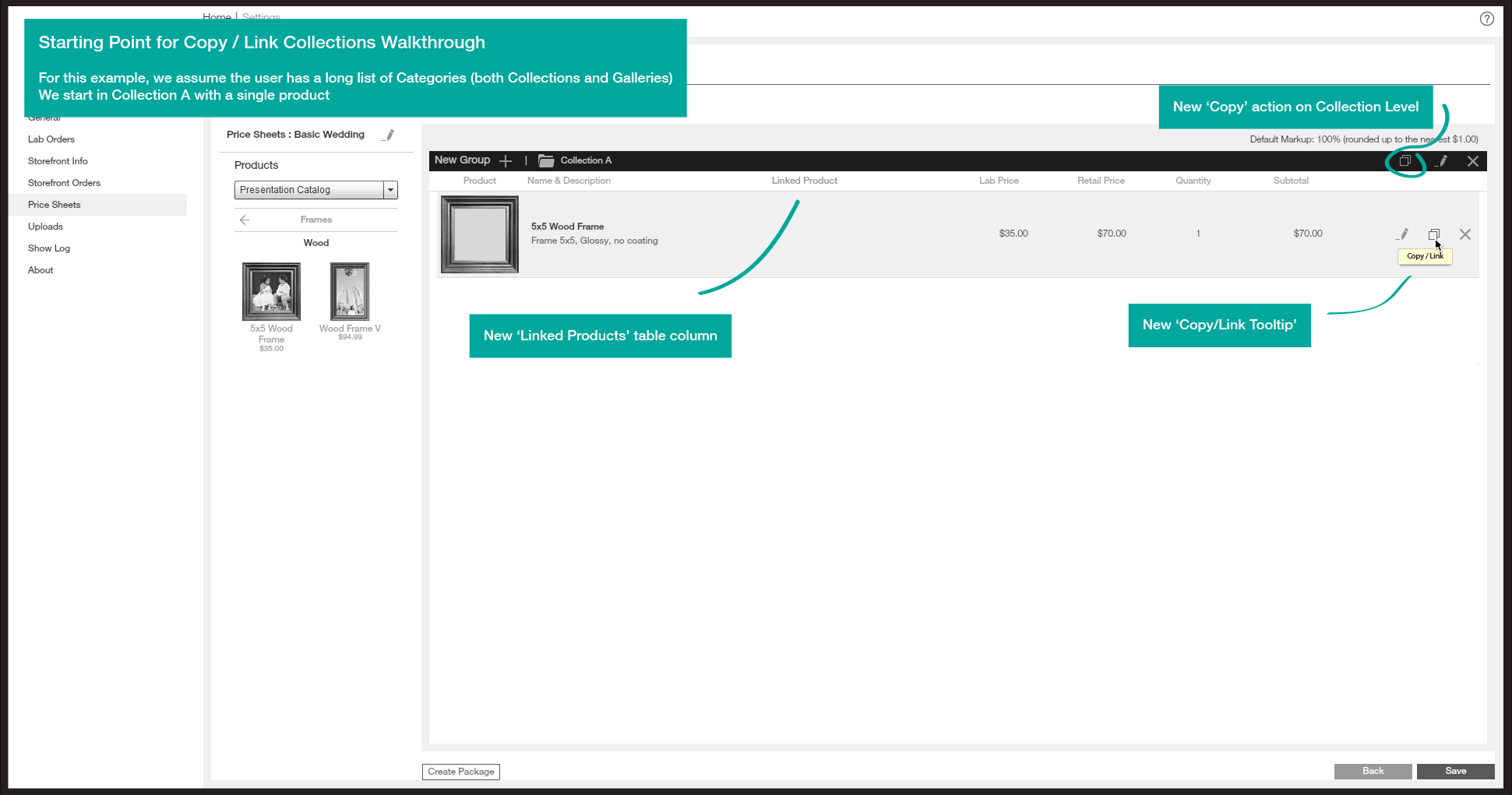
Grayscale filter and bright annotations indicate the iterative nature of the image.
 HEADWRIGHT